

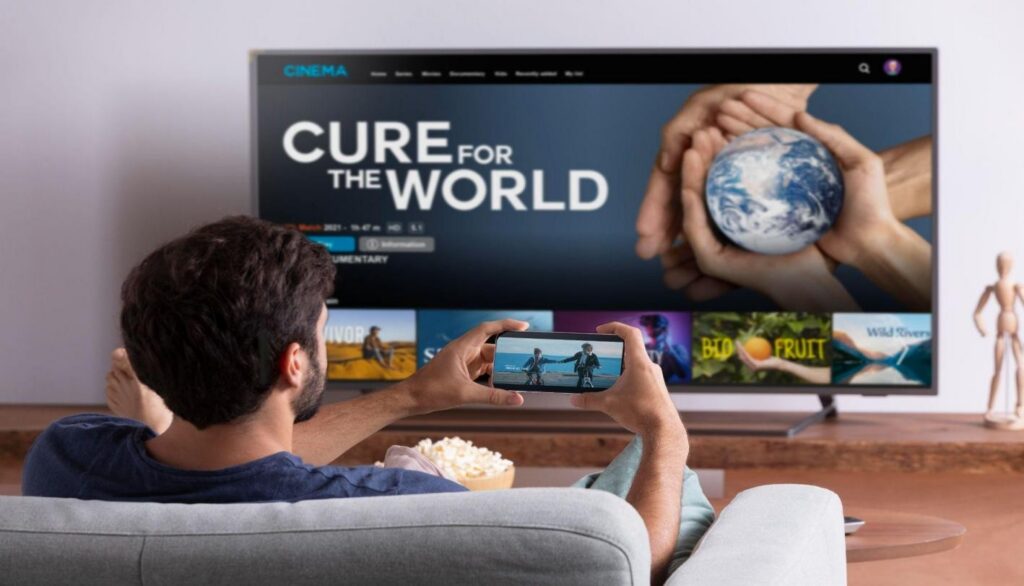
If you’ve heard the term thrown around and nodded along without really knowing what it means, you’re not alone. IPTV sounds technical, but the idea behind it is pretty simple once you strip away the jargon. Here’s what it actually is, how it gets your favorite shows onto your screen as a modern IPTV service, and the one question that matters more than any other before you sign up for any IPTV provider operating in the USA.
What Does IPTV Actually Stand For?
IPTV stands for Internet Protocol Television delivered over an internet connection instead of through a satellite dish, a cable box, or an antenna. That’s really the whole concept. Instead of traveling through dedicated broadcast infrastructure, signals travel as data over the same internet that powers your email and video calls.
You’ve almost certainly already used IPTV without thinking of it that way. Services like Hulu Live TV, YouTube TV, and Sling TV are all IPTV under the hood, even though nobody markets them as such.
How IPTV Streaming Technology Works
The mechanics are less mysterious than the name suggests.
From Broadcast to Broadband
A provider takes a video source, live broadcast feeds, on-demand libraries, whatever their content lineup includes, and encodes it into a format suited for internet delivery. That data gets broken into small chunks and sent to your device over the internet rather than through a dedicated broadcast signal. Your device reassembles those chunks in real time, which is why a shaky connection appears as buffering rather than static.
The Role of Apps and Devices
IPTV apps are the interface between that data stream and your screen. They handle channel navigation, program guides, and playback. Think of the app as the remote control and menu system, while the actual video delivery happens quietly in the background. Most IPTV channels are organized into familiar categories (sports, news, entertainment, international) within these apps, which makes the experience feel like flipping through a traditional cable guide, even though the underlying delivery method is completely different.
IPTV vs Traditional Cable TV
The short version: cable delivers a fixed signal through dedicated infrastructure, while online TV streaming through IPTV delivers content as internet data. That means IPTV can offer more flexibility (different devices, different locations, on-demand access), but also means your experience is only as good as your internet connection. There’s no separate cable line propping things up if your Wi-Fi has a bad night.
Is IPTV Legal and Available in the USA?
This is the question that actually matters, and the honest answer has two parts.
IPTV as a technology is completely legal in the United States. There’s nothing inherently illegal about delivering television over the internet; that’s exactly how Hulu Live TV, YouTube TV, Sling TV, and DIRECTV STREAM all operate, and they’re about as mainstream as it gets.
What determines legality is whether a specific IPTV provider actually holds the rights to distribute the content it’s offering. Licensed providers pay networks and studios for that right, just as cable and satellite companies always have. Unlicensed providers skip that step entirely and simply retransmit content they don’t have the rights to, which is copyright infringement, regardless of how professional the website looks or how many channels appear in the lineup.
What Makes a Provider Legitimate
- Clear, public information about licensing or content partnerships
- Standard payment methods (credit card, established payment processors) rather than crypto-only or anonymous-only options
- Consistent branding and a stable, long-standing domain
- Transparent business information and real customer support channels
What Makes a Provider Risky
- Enormous channel counts and “unlimited” content at prices that don’t come close to covering licensing costs
- No mention anywhere of where the content actually comes from
- Sales handled entirely through messaging apps rather than a proper checkout
- A pattern of near-identical clone websites under slightly different names
If a deal looks too good to be true, thousands of premium channels, every major sports package, for a fraction of what a cable bill costs, that gap usually isn’t good fortune. It’s usually a missing licensing fee that someone else is quietly absorbing the legal risk for.
What Devices Support IPTV Streaming?
IPTV is refreshingly device-agnostic. Most services run on:
- Smart TVs (Samsung, LG, and others with built-in app stores)
- Streaming boxes and sticks (Roku, Amazon Fire TV, Apple TV, Android TV)
- Smartphones and tablets (iOS and Android)
- Computers, through a browser or dedicated app
- Set-top boxes designed specifically for IPTV apps
As long as the device can run an app and connect to the internet, it’s a candidate.
Getting Started With IPTV
Getting set up isn’t complicated: pick an IPTV service, confirm it’s properly licensed, check that your internet connection meets the recommended speed, install the app on your device of choice, and log in. IPTV in U.S. households has grown quickly for exactly this reason: the technical setup takes minutes. The part worth spending real time on is the research before you subscribe to anything; that’s where the actual risk in this space lives.
Frequently Asked Questions
What is IPTV and how does it work?
IPTV delivers television content over an internet connection instead of cable, satellite, or broadcast signals, breaking video into data that your device streams and reassembles in real time.
Is IPTV different from traditional cable TV?
Yes. Cable uses dedicated broadcast infrastructure; IPTV uses your regular internet connection, which brings more flexibility but also ties your experience to your connection quality.
What devices support IPTV streaming?
Smart TVs, streaming boxes like Roku and Fire TV, smartphones, tablets, computers, and dedicated set-top boxes all commonly support IPTV apps.
Is IPTV legal and available in the USA?
IPTV as a technology is fully legal. Whether a specific service is legal depends on whether it holds proper licensing for the content it distributes, the same standard that applies to any TV provider.
What internet speed is required for IPTV?
It depends on the quality you’re streaming: roughly 10–15 Mbps for HD, and 25 Mbps or more for a smooth 4K experience.